

Plugin for 3ds Max · Windows
Find any model or texture in the library you already own.
AssetLoot searches the previews and texture files sitting on your drives and NAS. Describe the asset, or drop a reference image — then merge the result into your scene.
- Local-firstWindows · 3ds MaxFiles never moved
The library problem
The asset is somewhere in there.
Large CGI libraries rarely stay perfectly organized through years of production. AssetLoot reads the previews you already have — .jpg, .png and supported .pdf preview sheets next to your models, plus your texture files — and makes them searchable as they are. It does not analyse the 3D geometry itself.
- Model packs from three different vendors, three different folder logics.
- Textures stored under filenames that no longer describe what they contain.
- A drive you know has the right sofa on it — somewhere.
No tagging. No renaming. No migration. You point it at the folders and keep working.
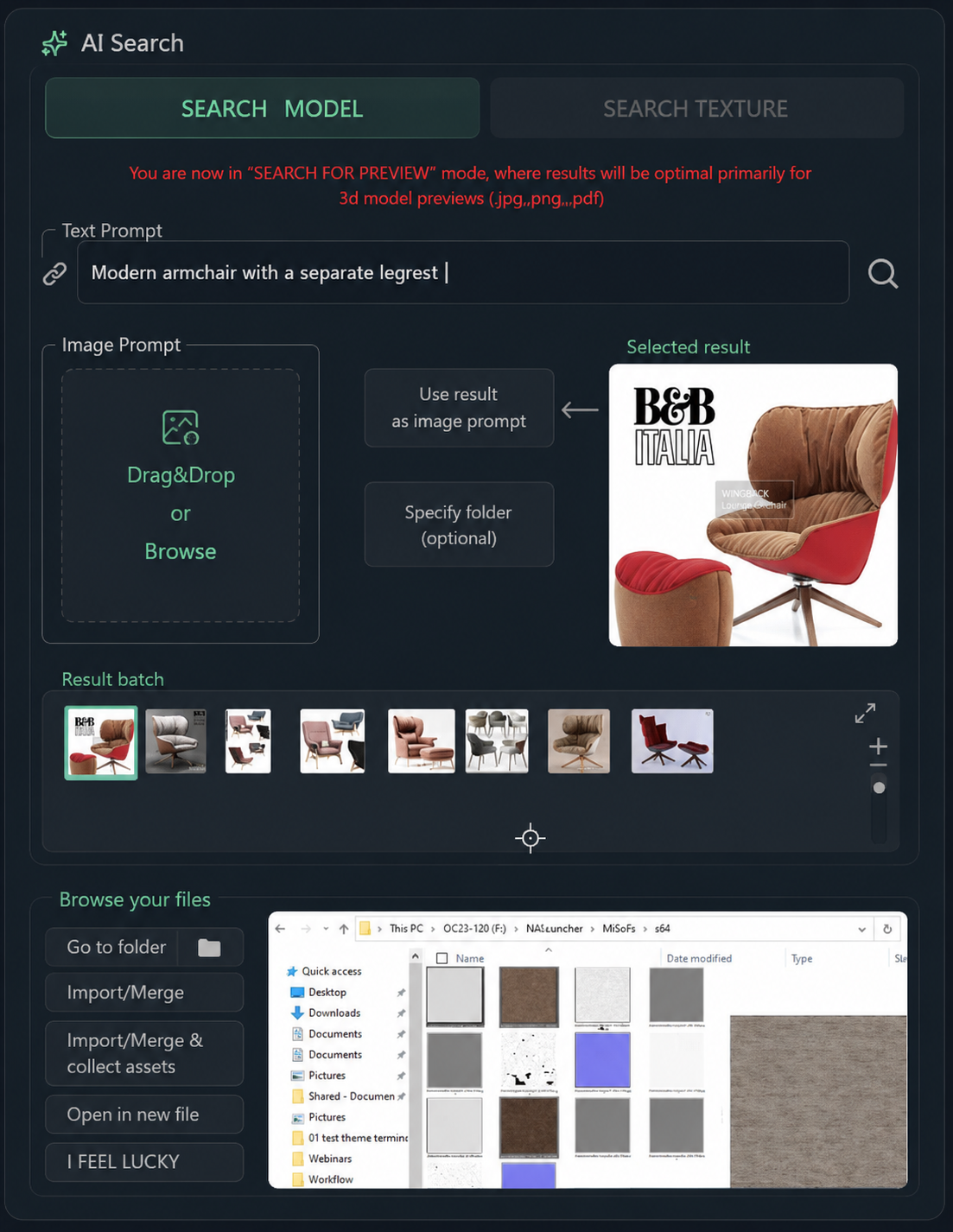
Two ways to search
Describe it, or show it.
Text prompt
"Modern armchair with a separate legrest." Plain language, in the terms you'd use to brief someone. Results are ranked by how close the preview actually looks.
Reference image
Drag in a client reference or a board render and get the closest matches from the folders you selected. Review the preview before you open or merge anything.
After the result
Find it and keep working.
Search is only useful if it ends inside your scene. Each result carries the actions you'd otherwise do by hand across Explorer and the merge dialog.
- Import / Merge
- Bring the model into the open scene without leaving 3ds Max.
- Collect Asset
- Gather the asset's associated files into your project folder (Teams and above).
- Open in new file
- Inspect the source scene on its own before committing to it.
- Go to folder
- Jump to the original location in Explorer when you need the raw files.